

Download This Month's Free Anime Manga Brush for Procreate Photoshop and Clip Studio Paint
- audreybagley
- Dec 28, 2025
- 3 min read
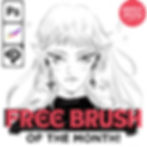
Free Anime & Manga Brush! Download the Brush of the Month ✦
The Free Brush of the Month for January 2026 is now live! A brand-new pro-quality anime & manga brush designed for Sketching and Sketchbook Style Anime Art! and compatible with Procreate, Photoshop, and Clip Studio Paint.
This brush is hand-crafted from real manga reference studies and finalized with a professional finish by a former Pixar/Disney Technical Director & Look-Dev Artist. Expect clean stroke flow, expressive pressure, and authentic manga texture that brings your drawings to life.
What’s Inside
1 professional digital brush (Procreate + Photoshop + CSP versions)
Commercial-use friendly license
Quick import guide for all supported apps
Monthly rotation — a new brush drops every month!
Download the Brush
Available until the end of January 2026. A new brush arrives on the 1st of each month.
Who This Brush Is For
This month’s brush is ideal for:
Drafting your webtoon!
The perfect Sketchbook look! With dramatic BOLD lines or soft textures strokes. This one brush does it all!
Can be used for simple or detailed work <3
Whether you're sketching, inking, or polishing, this brush gives you studio-quality results with anime attitude.
Show Your Art
If you try the brush, I’d love to see what you make — tag @mangabrush or @esperstar so I can feature your work on the mangabrush.com blog! ✦
Never Miss a Drop
Want the next brush automatically?Join the monthly list so you get it before it expires: Subscribe at the bottom of this blog post!
Until next month, happy drawing! ♡
xx Esper Star / Audrey
Why This Brush Stands Out
Many digital brushes claim to mimic manga styles, but this one stands apart because of its origin and finish. My brushes are based on detailed manga reference studies, ensuring that every stroke feels authentic. The involvement of a former Pixar and Disney Technical Director means the brush has a professional polish that you can feel in the smoothness and responsiveness.
Expect:
Clean stroke flow that lets you draw confidently without interruptions
Expressive pressure sensitivity that reacts naturally to your pen pressure
Authentic manga texture that adds depth and character to your lines
This brush is perfect for artists who want their digital inking to look as good as traditional manga art.
How to Import and Use the Brush
Getting started is simple. After downloading the brush package, follow these quick steps:
Procreate: Open Procreate, tap the brush icon, then tap the "+" to import the brush file from your downloads.
Photoshop: Load the brush preset via the Brush Settings panel by selecting "Import Brushes" and choosing the downloaded file.
Clip Studio Paint: Use the Brush Tool, open the Sub Tool palette, and import the brush file through the settings menu.
Once imported, experiment with pressure sensitivity and stroke speed to find your perfect line quality. The brush responds well to different stylus pressures, so try varying your hand movements for expressive results.
Show Your Art and Stay Updated
If you try this brush, share your creations by tagging @mangabrush or @esperstar. Your work might be featured, inspiring other artists in the community.
To never miss a new brush, join the monthly list to get each brush before it expires. This way, you always have fresh tools to keep your art evolving.
This month’s free anime manga brush offers a professional, authentic tool for digital artists who want to elevate their manga and anime creations. Download it now, experiment with its features, and bring your drawings to life with clean, expressive strokes. Happy drawing! ♡